Beginner / Input & touch
Interpret a Swipe as One Lane-Change Command
A swipe is not just a click with a large coordinate. It is a short interaction with a beginning, an end, a direction, and a threshold below which it should count as no lane change. Lane Racer keeps that interpretation deliberately small.
What you'll build
We will follow the demo's pointer-based swipe handling and identify the policies it leaves open. The existing behavior changes one lane when horizontal displacement exceeds 15 CSS pixels. It does not attempt momentum, multi-lane swipes, or a general gesture-recognition system.
Prerequisites
Know pointerdown, pointerup, and pointer cancellation. The racer model accepts a signed lane-change command, while the wrapper interprets browser events. The canvas uses pointer capture and disables touch scrolling only inside its playfield.
Record the origin
On pointerdown, the wrapper stores clientX and captures the pointer. The coordinate is viewport-relative. On pointerup, it compares the current clientX with the stored origin. Because only a difference is needed, the canvas's logical width does not enter the direction calculation.
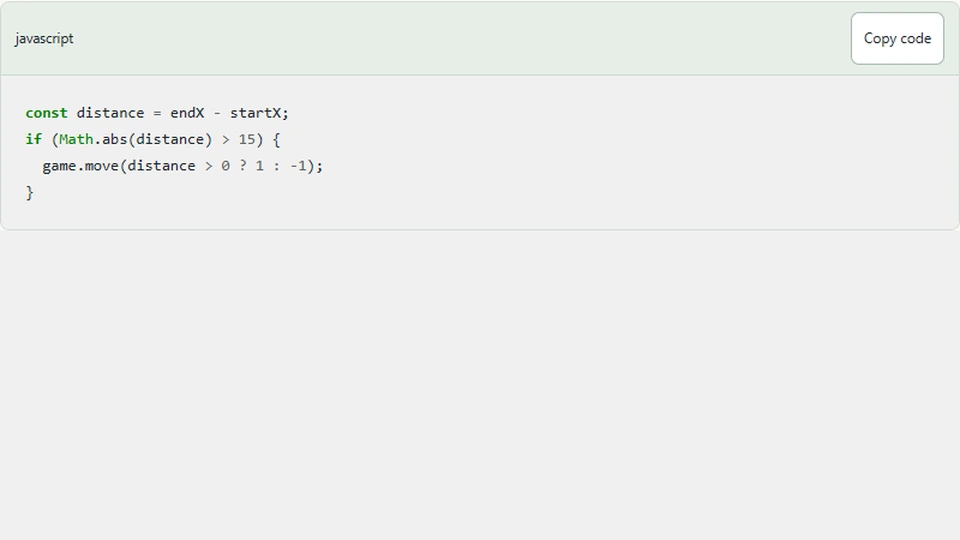
const distance = endX - startX;
if (Math.abs(distance) > 15) {
  game.move(distance > 0 ? 1 : -1);
}
This sketch expresses the existing threshold rule. One accepted gesture sends one signed command, regardless of whether the finger travels 20 or 200 pixels. That keeps the input predictable for a three-lane road.
Choose the threshold's unit
The current threshold is measured in CSS pixels, not logical game units. It therefore remains a small physical screen gesture when the canvas is displayed at different widths. Converting it to logical coordinates would change its apparent sensitivity with display scale unless you chose the conversion deliberately.
A fixed CSS threshold is still a design choice. Device size, touch accuracy, and browser zoom can influence how it feels. Test on actual target devices before describing one number as universally comfortable.
Distinguish taps and vertical gestures
A movement shorter than the threshold produces no lane change. That prevents a small tap wobble from becoming a command. The current implementation does not compare vertical distance, so a mostly vertical gesture with enough horizontal movement can still change a lane.
If that becomes a problem, record both axes and require horizontal displacement to dominate. For example, compare its magnitude with vertical displacement before accepting the swipe. Document the rule instead of silently rejecting gestures in a way users cannot predict.
The canvas's touch-action setting also matters. Inside the playfield, the browser should not interpret the same gesture as page scrolling. Outside the game, normal scrolling should remain available for reading the article.
End every interaction path
Pointerup clears the recorded origin. Pointercancel also clears it and held movement. Capture helps the element receive the end of a gesture when the finger leaves its bounds, but cancellation remains a real possibility when the browser interrupts input.
A stale origin can turn the next unrelated release into a large apparent swipe. Resetting gesture state is therefore a correctness rule, not merely cleanup. Pausing and restarting should also leave the wrapper without an unfinished gesture that can affect a later round.
The current wrapper tracks one origin rather than a map of multiple pointers. A multi-touch design would need to associate state with pointer identifiers and decide which pointer owns gameplay. Do not claim multi-touch support from the use of Pointer Events alone.
Test the boundaries
Try a short tap, a 14-pixel horizontal movement, and a movement clearly beyond 15 pixels. Confirm only the last changes lanes. Swipe outward while already in an edge lane; the engine clamp should keep the lane valid.
Next, cancel or interrupt a gesture, resume, and perform a fresh small tap. It should not inherit the old origin. Combine swipe and keyboard controls to verify both paths update the same lane model rather than separate visual positions.
Next steps
Inspect Lane Racer on a touch device and compare it with keyboard input. If you add vertical rejection or configurable sensitivity, keep the gesture interpreter in the wrapper and preserve the engine's simple lane-change interface. That makes the new input policy easier to test independently of obstacles and scoring.