Beginner / Input & touch
Map Pointer Coordinates onto a Responsive Canvas
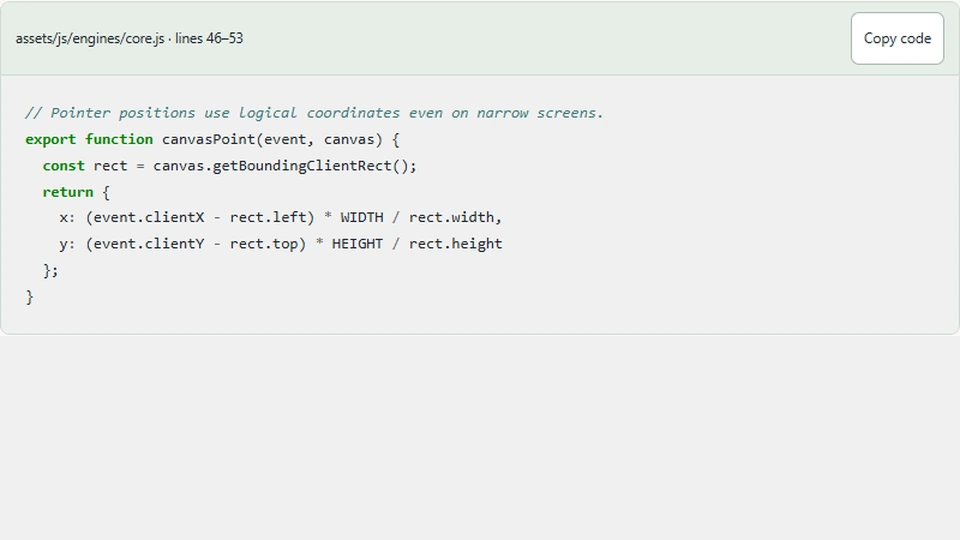
A collector that follows your finger on a desktop can jump away from it on a phone. The usual cause is a disagreement about coordinates: pointer events describe positions in the browser viewport, while the game stores positions in a 960-unit playfield. Subtracting a margin is not enough once the canvas is scaled.
What you'll build
We will trace the pointer conversion used by Gem Collector and test it at different widths. The result lets dragging and keyboard movement share the same legal range. This is a focused explanation of the existing implementation, not a second input system running alongside it.
Prerequisites
Know how to read an event listener and a JavaScript object. Open assets/js/engines/core.js for the conversion and assets/js/demo.js for the pointer handlers. The demo's logical dimensions are 960 by 540. CSS changes its displayed width while preserving the aspect ratio.
Three coordinate spaces
event.clientX measures from the viewport's left edge. getBoundingClientRect().left tells us where the canvas begins in that same space. Subtracting them gives a position relative to the displayed canvas. Dividing by the displayed width produces a proportion, which we multiply by the logical width.
// Pointer positions use logical coordinates even on narrow screens.
export function canvasPoint(event, canvas) {
  const rect = canvas.getBoundingClientRect();
  return {
    x: (event.clientX - rect.left) * WIDTH / rect.width,
    y: (event.clientY - rect.top) * HEIGHT / rect.height
  };
}
Suppose a canvas begins 20 CSS pixels from the left and is displayed 320 pixels wide. A pointer at viewport coordinate 180 is halfway across it: (180 - 20) / 320 equals 0.5. The game receives 480, the midpoint of its 960-unit arena. That result remains 480 if the same canvas becomes 640 pixels wide and the pointer remains halfway across.
Use matching coordinate systems throughout the subtraction. Mixing pageX, which includes document scrolling, with the viewport-relative rectangle introduces a scroll-dependent offset. The current helper uses clientX and clientY consistently. Vertical scrolling therefore does not need a separate correction.
Keep the conversion separate from the movement rule
The helper does not decide where the collector is allowed to move. The collector's pointer method clamps its center between 45 and WIDTH - 45. Those limits follow the paddle's half-width; allowing its center to reach zero would hide half the paddle beyond the edge.
This separation is useful when reusing the converter. A timing target might accept the full logical rectangle, while a paddle must remain completely visible. Baking paddle-specific margins into canvasPoint would make a supposedly general helper depend on one engine's drawing dimensions.
The keyboard update applies the same center limits after adding direction times speed times elapsed seconds. Pointer input sets a destination directly; keyboard input integrates movement over time. They are different input models, but they agree about the playable space.
Follow an actual drag
The wrapper records a pointer-down gesture and captures its pointer. While that gesture remains active, movement events call game.pointer(canvasPoint(event, canvas)). Merely moving a mouse across the page does not move the paddle. Releasing or canceling the gesture clears its origin.
Pointer capture matters when a finger leaves the canvas before release. Without a reliable end event, a wrapper can believe a drag continues after the gesture ended. Capture does not change the coordinate conversion: the pointer can temporarily report positions outside the rectangle, and the collector's clamp handles those positions safely.
touch-action: none applies to the playfield, where dragging belongs to the game. Keep that rule away from the whole article. Readers should still be able to scroll when their finger is outside the interactive area.
Check the mapping with numbers
Test the left edge, center, and right edge at two displayed sizes. Before clamping, those points should map to 0, 480, and 960. After the collector applies its bounds, the endpoints become 45 and 915. Testing both stages prevents you from mistaking an intentional paddle margin for an input offset.
You can inspect the calculation without changing the engine:
const left = 20;
const displayedWidth = 320;
const logicalX = clientX => (clientX - left) / displayedWidth * 960;
console.assert(logicalX(180) === 480);
Resize the browser while paused, then resume and drag again. The helper reads the current rectangle for each event, so it does not retain an obsolete displayed width. A cached rectangle would need an explicit invalidation strategy after resize, layout changes, or zoom.
Limits and next steps
This calculation assumes an unrotated canvas without a separately transformed content region. The current CSS meets that assumption. Rotated or skewed elements require a more general inverse-transform calculation. Do not add that complexity until the layout actually needs it.
Inspect the helper in the Collector source, then try Gem Collector at a narrow width. Keep logical coordinates stable when you later improve display sharpness; increasing the backing buffer should not double the paddle's movement range.