Beginner / Canvas basics
Keep Canvas Game Coordinates Separate from Display Size
Changing a canvas from 960 pixels wide to 390 pixels wide sounds like a responsive layout change. It can also change every drawing coordinate if you modify the wrong property. In these projects, the game world keeps one size while CSS controls how much room the picture occupies on the page.
What you'll build
You will understand and verify the sizing contract shared by the four demos: a 960-by-540 logical playfield, a proportional displayed canvas, and input converted back into logical units. We will use Lane Racer because its three fixed lane centers make accidental resizing easy to spot.
Prerequisites
You need basic HTML attributes and CSS sizing. In core.js, WIDTH and HEIGHT are constants. The generated demo markup uses matching canvas attributes, and .canvas-wrap preserves a 16:9 aspect ratio. These three pieces should be changed together if you deliberately redesign the playfield.
Attributes define the drawing buffer
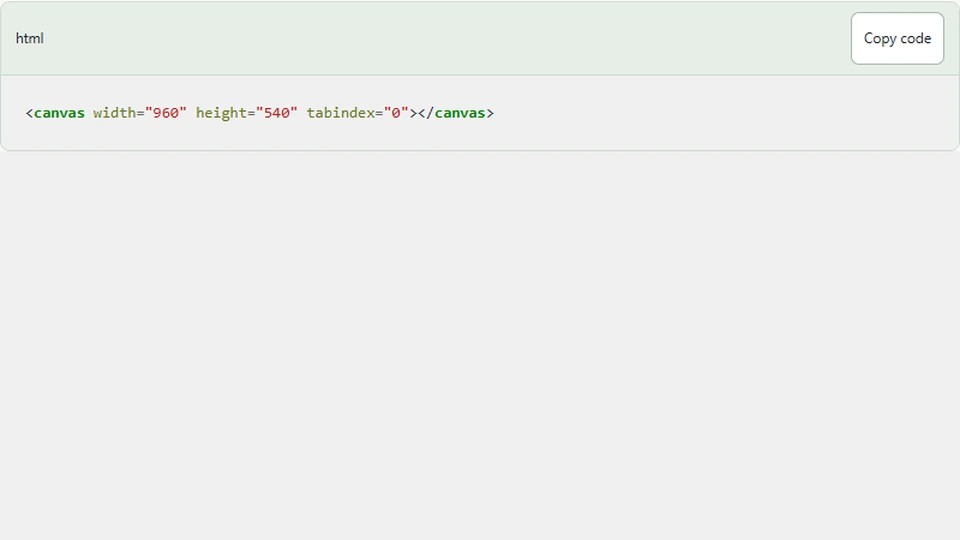
The canvas element declares its width and height as attributes. Those numbers establish its initial drawing buffer and coordinate space. They are not interchangeable with an inline CSS width. A CSS width changes layout; a canvas width attribute changes the buffer the browser draws into.
<canvas width="960" height="540" tabindex="0"></canvas>
The racer places its lane centers at 280, 480, and 680. The car is drawn relative to one of those values. If you reduce the buffer width to 390 while leaving the rules untouched, two centers lie outside the drawing area. The road has not become responsive; the renderer and model now disagree.
CSS fits the picture into the document
The wrapper uses an aspect ratio and the canvas stretches to its width. Height follows the image ratio. That avoids squeezing a wide playfield into a tall portrait rectangle, which would make circles look elliptical and change the apparent angle of movement.
.canvas-wrap { position: relative; aspect-ratio: 16 / 9; }
.canvas-wrap canvas { display: block; width: 100%; height: auto; }
At a displayed width of 320 CSS pixels, the 960 logical horizontal units occupy one third of a CSS pixel each. A 50-unit car therefore appears about 16.7 CSS pixels wide. That may be small, but it is consistent. Changing the rules to enlarge a touch target is a design decision separate from changing the display scale.
Keep input in the same world
Keyboard lane changes do not involve pointer coordinates. A left press changes an index from one to zero, and drawing uses the corresponding lane center. Swiping does use viewport coordinates, but the wrapper needs only the gesture's direction and threshold; it does not place the car at the finger's exact horizontal position.
Collector dragging is the contrasting case. Its helper converts a position inside the displayed rectangle into a logical coordinate. If you make only the renderer responsive and forget that conversion, the paddle follows the pointer correctly at one width and drifts at another. Responsive rendering and responsive input must share a clear contract.
Why resizing the attributes every frame is a problem
Assigning a canvas width or height resets its drawing context, including drawing state. It also reallocates the buffer. Doing this in every animation callback is unnecessary work and can erase settings you expected to persist. The current demos do not resize the buffer in their frame loop.
If a later high-density renderer needs to change the buffer, perform that work when the measured display size or pixel ratio changes. Reapply the coordinate transform afterward. Keep game state outside the context so a buffer reset cannot reset lives, progress, or card selections.
The same distinction explains why screenshots should come from the canvas after it has rendered. A blank canvas buffer is not a saved scene graph. The browser cannot reconstruct the game merely from the DOM rectangles around it.
Verify the contract
Open the racer at desktop width and at 320 CSS pixels. Start a round and move through all three lanes. Each lane should remain visible, the car should remain centered in the selected lane, and the road should preserve its proportions. The progress target must not change with viewport width.
Pause before resizing so motion does not distract from geometry. Then compare the center lane with the midpoint of the canvas rectangle. The model's center is 480 out of 960, so it should remain halfway across at either size. A small rounding difference in displayed pixels is normal; a systematic shift indicates a layout or transform mismatch.
Next steps
Read the Lane Racer source and compare the constants with the HTML canvas attributes. If you want sharper output on dense displays, introduce a larger backing buffer and a context transform while keeping these logical lane positions unchanged. That extension should improve rendering quality without becoming a new set of game rules.