Beginner / Game loop
Pause and Resume an Animation Loop without a Jump
The most visible pause bug is a large jump on resume. The game remembers the timestamp from before the pause, subtracts it from the next callback, and interprets the whole break as one movement step. Fixing that symptom requires defining what pause preserves and what it resets.
What you'll build
We will follow the shared scheduler and Gem Collector wrapper to implement a pause that preserves the world, clears held input, and starts with a fresh time origin on resume. These are the rules used by the current demos.
Prerequisites
Understand requestAnimationFrame callbacks and elapsed seconds. The loop is in core.js; the Pause button and automatic focus/visibility behavior are in demo.js. The collector model contains positions and counters but does not schedule itself.
Preserve the model, stop the scheduler
Pause does not create a new collector. Existing gems, hazards, score, lives, and active time remain in the same model. The wrapper stops the loop and clears held input. The next state change will happen only after simulation resumes or the user explicitly restarts.
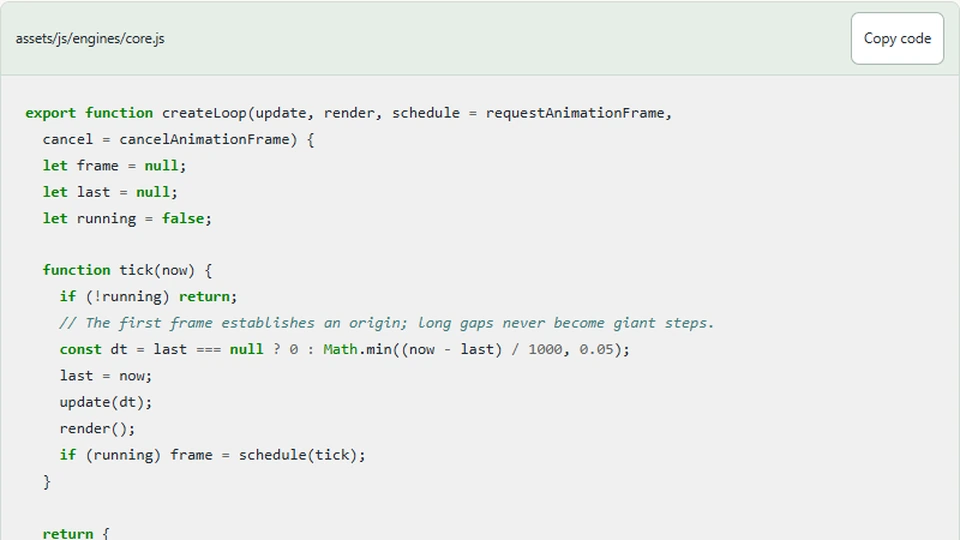
The loop's stop method sets its running flag false, cancels an outstanding frame request when present, and clears the stored timestamp. The flag is also checked after update and render, so stopping from within update cannot accidentally schedule a successor.
export function createLoop(update, render, schedule = requestAnimationFrame,
  cancel = cancelAnimationFrame) {
  let frame = null;
  let last = null;
  let running = false;

  function tick(now) {
    if (!running) return;
    // The first frame establishes an origin; long gaps never become giant steps.
    const dt = last === null ? 0 : Math.min((now - last) / 1000, 0.05);
    last = now;
    update(dt);
    render();
    if (running) frame = schedule(tick);
  }

  return {
    start() {
      if (running) return;
      running = true;
      last = null;
      frame = schedule(tick);
    },
    stop() {
      running = false;
      if (frame !== null) cancel(frame);
      frame = null;
      last = null;
    },
    get running() { return running; }
  };
}
Calling cancel alone is not a complete lifecycle model. A callback may already be executing, and game completion may request a stop from inside that callback. The running flag tells that execution path whether another callback is still allowed.
Establish a new origin on resume
Starting sets last to null. The first resumed callback therefore updates with zero elapsed time and records a new origin. Subsequent callbacks measure normal intervals from that origin. Time spent paused is not added to the model.
The 0.05-second clamp is a separate safeguard. It limits unexpectedly delayed active frames; it is not the primary mechanism for ignoring a deliberate pause. Depending only on the clamp would still move the game by one capped step after every break and leave the semantics less clear.
Clear held keys
A player may release an arrow key while the browser window is inactive. If the game never receives that release, a held-input set can retain the direction indefinitely. Clearing it when pausing ensures the paddle remains stationary after resume until a new accepted input arrives.
This policy favors predictable resumption over preserving the exact physical keyboard state. If you want a game to resume while a key is still held, you need a reliable way to reconcile input state. Do not infer that a previous press must still be active merely because a keyup event was not observed.
Pause when the page stops being the active task
The wrapper pauses on window blur, hidden document visibility, and focus leaving the game. This is particularly useful for an embedded example inside an article. A reader can move back to the explanation without losing a round offscreen.
Focus movement within the arena should not pause. That includes moving from the canvas to Pause or from a matched memory card to another available control. Compare the destination against the arena rather than treating every blur as an exit.
The game does not automatically resume when the tab becomes visible again. It asks the player to press Resume. That avoids starting movement while the player is still deciding whether to return to the demo.
Test pause as a lifecycle operation
Start a collector round, pause while objects are visible, wait several real seconds, and resume. Their first resumed positions should match the paused picture before normal updates continue. Score and lives should remain unchanged by the wait.
Also press Start twice, Pause twice through the interface's changing label, and Restart while paused. The scheduler should never have more than one active callback chain. Restart must create a fresh model; Resume must retain the existing one.
Next steps
Read the collector source alongside the shared loop and identify exactly which layer owns each action. If you introduce wall-clock deadlines or audio, document their pause behavior separately. Stopping simulation does not automatically suspend every browser API, so a complete pause policy must account for each resource the project actually uses.