Beginner / Input & touch
Use Held-Key State for Continuous Game Movement
Continuous movement should depend on how long a direction is held, not how frequently the operating system repeats keydown events. Gem Collector therefore stores input state and lets its update function consume that state over time.
What you'll build
We will follow the wrapper's held-direction set into the collector's movement equation. Then we will test release, opposing directions, and focus loss. This input model is useful for the paddle, while Lane Racer intentionally uses a different press-based model.
Prerequisites
Know browser keydown and keyup events and the JavaScript Set type. Read demo.js for input handling and collector.js for movement. Keyboard events do not directly update the collector's x position in this design.
Convert keys into actions
The wrapper recognizes Left, Right, A, and D, but stores the logical actions left and right. This separates browser-specific key names from the direction values the engine needs. The update callback computes a signed direction from membership in that set.
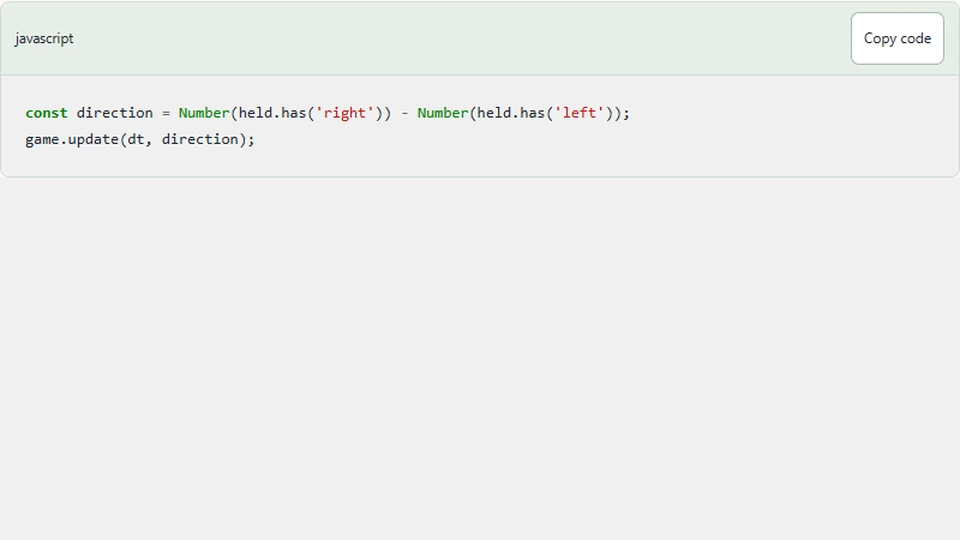
const direction = Number(held.has('right')) - Number(held.has('left'));
game.update(dt, direction);
Holding right produces one, holding left produces minus one, and holding both produces zero. The collector multiplies this direction by 500 units per second and the current delta. A higher keyboard repeat rate does not change that equation.
This action-level set is deliberately simple. If two physical keys map to the same action, releasing either clears that action in the current wrapper. A more elaborate input system can track physical keys separately and derive actions from the complete set. Decide whether that edge case matters for the audience before adding complexity.
Keep movement in update
The collector clamps its new center after applying movement. That keeps the entire 90-unit paddle inside the arena. Pointer input uses the same logical bounds even though it places the paddle directly rather than integrating a held direction.
function update(dt, direction = 0) {
    if (state.finished) return;
    state.time += dt;
    state.spawn += dt;
    state.x = clamp(state.x + direction * 500 * dt, 45, WIDTH - 45);
    if (state.spawn >= 0.52 - difficulty * 0.035) {
      state.spawn = 0;
      state.objects.push({ x: 40 + random() * (WIDTH - 80), y: -25,
        bad: random() < 0.23 + difficulty * 0.015 });
    }
    for (const object of state.objects) {
      object.y += (150 + difficulty * 25 + state.time * 1.2) * dt;
      if (object.y > HEIGHT - 78 && object.y < HEIGHT - 25 &&
          Math.abs(object.x - state.x) < 52) {
        object.y = HEIGHT + 60; // Consume once, then remove below.
        if (object.bad) state.lives--;
        else state.score++;
      }
    }
    state.objects = state.objects.filter(object => object.y < HEIGHT + 30);
    state.won = state.score >= goal;
    state.finished = state.won || state.lives <= 0 || state.time >= 75;
  }
Moving directly inside every keydown event would tie speed to event frequency. It would also make pause harder to reason about because input events could move the model even while the animation scheduler was stopped. The wrapper accepts movement only while running, and the engine update remains the place where continuous keyboard motion occurs.
Limit keyboard ownership to the game
Arrow keys normally scroll a document. The wrapper listens inside the arena and prevents the default action only for recognized movement keys while the game is running. A reader outside the demo can continue using the keyboard to navigate the article.
Controls such as difficulty selects are excluded from game-key handling. Otherwise pressing an arrow to change a select option could also move the paddle. Check the event target before treating every key as a gameplay command.
This is particularly important for embedded demos, where the surrounding article is a primary part of the experience. The game should not silently take ownership of the whole page's keyboard.
Clear state when release events may be lost
Window blur, hidden page visibility, and focus leaving the arena pause the game and clear held actions. A key can be released while the browser is inactive, so waiting forever for its keyup event is unsafe. Clearing on pause gives resume a predictable stationary state.
Pointer-operated movement buttons also set and clear these actions. Their release and cancellation handlers follow the same principle: every path that ends an interaction must clear the state it introduced.
Test the model and the browser separately
At the model level, call update with a known direction and delta and verify the displacement and bounds. At the browser level, hold a direction, leave focus, return, and resume without pressing a movement key. The paddle should not continue from stale input.
Test both directions together and verify zero continuous movement. Also use a select while the game is active and confirm its keyboard interaction does not move the collector. These tests cover ownership and lifecycle behavior that a displacement assertion alone cannot detect.
Next steps
Compare this approach with Lane Racer, where one press should cause one lane change. Reusing the same key names does not mean reusing the same action semantics. Choose held state for continuous motion and an accepted press edge for discrete commands.