Beginner / Project walkthroughs
Deploy Plain HTML Game Projects on Cloudflare Pages
A plain HTML site does not need a framework build directory merely because the hosting dashboard says “build output.” On Cloudflare Pages, the directory containing your finished HTML and assets can be the upload directory itself. Workers Static Assets can also serve that same root with a small configuration file.
What you'll build
We will map the HoloViral static files to Cloudflare's routing behavior, preserve useful legacy redirects, and keep removed pages as real 404 responses. No application server or new advertisement service is needed.
Prerequisites
Have a finished copy of the website and access to your own Cloudflare project. Local double-click previews can verify reading and gameplay, but they cannot reproduce HTTP status codes. Test routing through the platform's preview environment before replacing the live deployment.
Upload the directory that already contains the site
The deployable entry point is the root index.html, alongside assets, tutorials, demos, and the other public files. There is no requirement for a separate directory named dist. If you use Pages Git integration, use no framework build and point the output setting at the directory holding these files.
For direct upload, select the public website files rather than private development material such as Git data, test captures, or manuscript sources. Cloudflare's Direct Upload guide describes the dashboard and Wrangler upload paths. Do not assume a local ignore file applies identically to every upload method.
Keep clean document URLs
Cloudflare Pages recognizes matching HTML documents and redirects common HTML filenames to clean forms. Its serving-pages documentation describes extensionless pages and index directories. The site keeps canonical links in that same clean format.
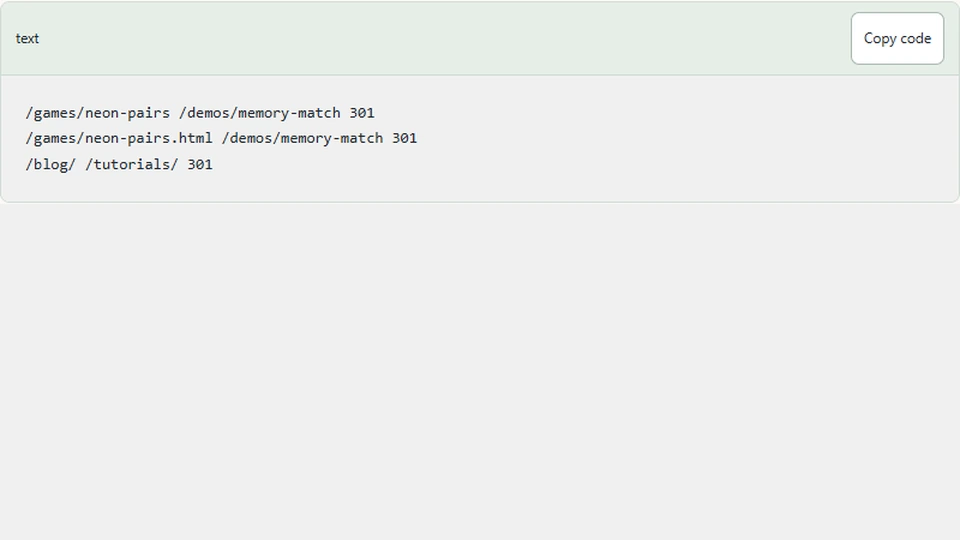
Explicit redirects in _redirects preserve the intended 301 behavior for known old edition URLs and HTML aliases. They point directly to the corresponding engine demo rather than routing every removed game to the homepage.
/games/neon-pairs /demos/memory-match 301
/games/neon-pairs.html /demos/memory-match 301
/blog/ /tutorials/ 301
These are representative rules from the site's mapping. Keep specific entries before broader patterns. A catch-all redirect can hide missing pages and create misleading content equivalence.
Let removed files return 404
Cloudflare's _redirects supports documented redirect statuses; it is not a general way to emit arbitrary 410 or 404 responses. The removed feed and old article files are therefore absent, and a root 404.html supplies the not-found document.
Do not rewrite every unknown route to index.html. Pages can otherwise behave like a single-page application, returning the homepage for missing content. This site is a collection of real documents, so a genuine not-found response is the appropriate fallback.
The root 404 page is also excluded from the sitemap and marked noindex. Sitemap membership should describe published documents, not every physical HTML file used by hosting.
Configure Workers Static Assets separately
If you choose Workers rather than Pages, the included Wrangler configuration points its asset directory to the root and selects automatic HTML handling with a 404-page fallback. The Workers asset configuration reference explains these options and .assetsignore.
That file excludes development sources from a Wrangler asset upload. It does not turn every dashboard uploader into the same tool. Verify the actual deployed asset inventory for the workflow you use.
Verify the preview, then the live domain
Check the homepage, one article, one demo, an old edition redirect, a removed feed URL, and a random missing URL. Inspect status and Location headers rather than judging only the visible page. Confirm canonical and sitemap URLs still use the production domain.
Also confirm ads.txt and the existing ad integration were not replaced during upload. Clear stale deployment files through a clean deployment rather than leaving old copies that the new static routes can still serve.
Next steps
Use the root README for this project's exact upload inventory and local preview instructions. After deployment, inspect real responses through the custom domain and submit the updated sitemap through your own search-console account. Hosting configuration is complete only when the actual deployed files and routes match the intended document structure.