Intermediate / Audio
Shape Short Game Sounds with Envelopes and Cleanup
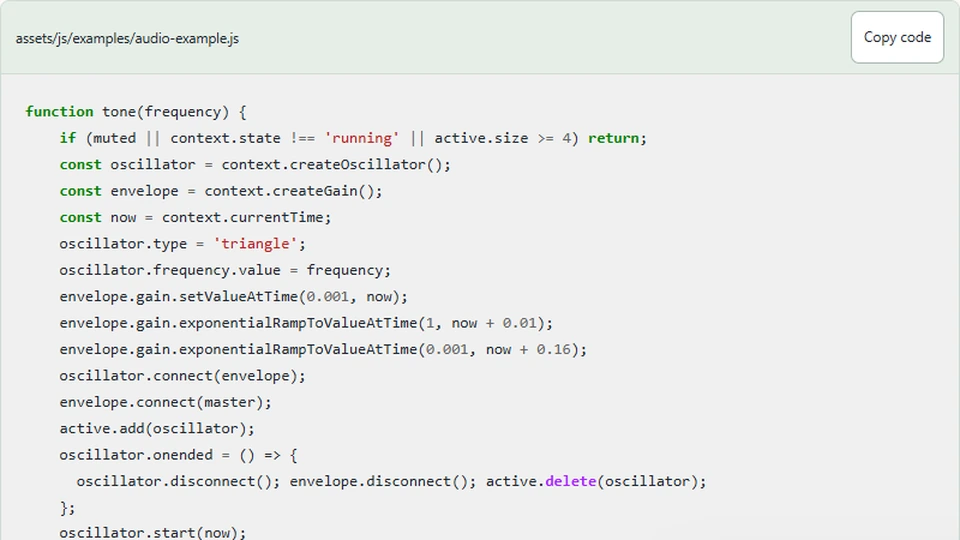
A synthesized game effect needs more than an oscillator frequency. Starting or stopping at an abrupt amplitude can create unwanted clicks, and leaving finished nodes connected makes the audio graph harder to reason about. The tutorial sound panel uses a short envelope and explicit cleanup.
What you'll build
We will inspect the real tone helper used by the panel, including its attack, decay, voice bound, and ended handler. This is a standalone experiment for possible game effects; the four shipped game engines remain silent unless you deliberately extend them.
Try the sound example
Sound starts only after you press a button. Use a comfortable device volume.
Ready; no audio has started.
Prerequisites
Understand the audio context initialization from the previous article and how nodes connect to a master gain. Read audio-example.js. Its tone function receives a frequency after the button handler has prepared a running context.
Shape amplitude over audio time
The helper creates a triangle oscillator and an individual gain envelope. It starts at a small positive amplitude, ramps up over 0.01 seconds, and decays over the following fraction of a second. These changes are scheduled against context.currentTime, which belongs to the audio context.
function tone(frequency) {
    if (muted || context.state !== 'running' || active.size >= 4) return;
    const oscillator = context.createOscillator();
    const envelope = context.createGain();
    const now = context.currentTime;
    oscillator.type = 'triangle';
    oscillator.frequency.value = frequency;
    envelope.gain.setValueAtTime(0.001, now);
    envelope.gain.exponentialRampToValueAtTime(1, now + 0.01);
    envelope.gain.exponentialRampToValueAtTime(0.001, now + 0.16);
    oscillator.connect(envelope);
    envelope.connect(master);
    active.add(oscillator);
    oscillator.onended = () => {
      oscillator.disconnect(); envelope.disconnect(); active.delete(oscillator);
    };
    oscillator.start(now);
    oscillator.stop(now + 0.18);
  }
An exponential ramp needs a positive value rather than zero at these endpoints. The example uses 0.001 as a quiet floor, then stops the oscillator shortly after the decay. See MDN's exponential ramp reference for the API's constraints.
The durations are sound-design choices for this short example. They are not derived from the game loop's frame delta. Audio scheduling should not become dependent on how often the browser repaints the canvas.
Keep a master control separate from each envelope
Every tone's envelope connects to one master gain. The individual envelope shapes the effect, while the master controls overall output and mute. This separation avoids rewriting every active tone's scheduled decay when the user changes the global preference.
The mute handler uses a short linear ramp toward zero and cancels earlier master automation before setting a new target. Repeated toggles therefore have an explicit current-time transition rather than accumulating unrelated future volume instructions.
New tones are rejected while muted. Reducing the master gain alone would make them inaudible, but it would still create unnecessary oscillators. The action guard and output gain serve different purposes: avoid unwanted work and control already active sound.
Bound simultaneous voices
The helper keeps active oscillators in a set and allows at most four. Rapid button presses therefore cannot create an unlimited number of overlapping nodes. Dropping extra effects is a simple policy appropriate to this small experiment.
A larger game might replace the oldest voice, group effects by priority, or use a different limit. Those choices affect what the player hears. Do not introduce a pool or priority mixer before the project actually needs one.
The set measures active audio resources, not game objects. Resetting a collector model would not automatically clear this set. If effects are integrated into a round, decide whether reset stops active voices or lets short tails finish.
Disconnect finished nodes
When the oscillator ends, its handler disconnects the oscillator and envelope and removes the oscillator from the active set. That makes the resource lifecycle visible and allows later button presses to use the voice budget again.
Calling stop schedules the end; cleanup follows the ended event. Avoid deleting the voice from the set immediately after scheduling it, because it would no longer represent the number of effects still active.
Similarly, do not disconnect an envelope before its audible tail has finished unless an abrupt interruption is intended. Resource cleanup and sound duration need to agree.
Test repeated interaction and interruption
Trigger the buttons rapidly and verify that the panel remains responsive and does not throw errors when the voice limit is reached. Toggle mute during a tone, hide the tab, then return and explicitly trigger another tone. The context and controls should remain usable.
Listen for the effect's beginning and end on more than one device at a comfortable volume. Browser automation can confirm node-management paths through mocked or real contexts, but it cannot decide whether a particular envelope sounds appropriate for a match or a missed tap.
Next steps
Use the helper as an optional effect module in a local copy of Timing Tap. Trigger it from accepted hit or miss events, not from every rendered frame inside the zone. Keep the existing silent visual feedback so understanding the game's state does not depend on hearing the effect.