Intermediate / Game loop
Choose between Simulation Time and a Wall-Clock Deadline
Gem Collector displays a 75-second limit, but under a severe rendering slowdown a round can last longer than 75 seconds on a stopwatch. That is a consequence of its chosen clock, not necessarily a broken label. The engine counts active simulation seconds, and the scheduler deliberately discards unusually long frame gaps.
What you'll build
We will trace the existing timer and design a contrasting wall-clock deadline. The shipped demo keeps its active-time policy. The alternative code is an extension for projects that need a strict elapsed-time limit.
Prerequisites
Understand the loop's dt argument and the collector state. state.time increases in collector.js; core.js limits each delta to 0.05 seconds. Pause stops updates and resets the scheduler's timestamp origin.
Follow the timer that actually exists
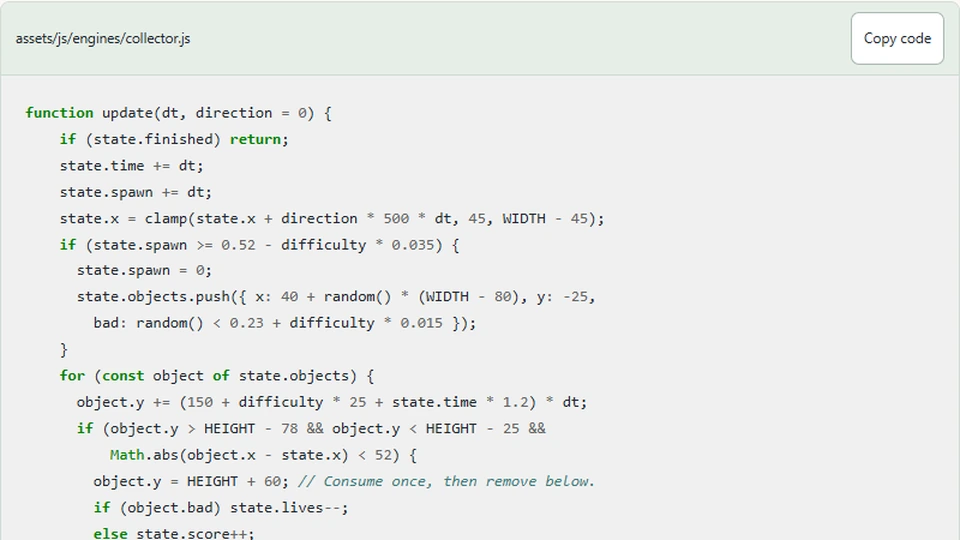
The collector adds dt to state.time during each update. The same accumulated value affects falling speed and the timeout condition. That keeps movement progression and the displayed limit on the same simulation clock.
function update(dt, direction = 0) {
    if (state.finished) return;
    state.time += dt;
    state.spawn += dt;
    state.x = clamp(state.x + direction * 500 * dt, 45, WIDTH - 45);
    if (state.spawn >= 0.52 - difficulty * 0.035) {
      state.spawn = 0;
      state.objects.push({ x: 40 + random() * (WIDTH - 80), y: -25,
        bad: random() < 0.23 + difficulty * 0.015 });
    }
    for (const object of state.objects) {
      object.y += (150 + difficulty * 25 + state.time * 1.2) * dt;
      if (object.y > HEIGHT - 78 && object.y < HEIGHT - 25 &&
          Math.abs(object.x - state.x) < 52) {
        object.y = HEIGHT + 60; // Consume once, then remove below.
        if (object.bad) state.lives--;
        else state.score++;
      }
    }
    state.objects = state.objects.filter(object => object.y < HEIGHT + 30);
    state.won = state.score >= goal;
    state.finished = state.won || state.lives <= 0 || state.time >= 75;
  }
If a callback arrives one second after the previous callback, the loop supplies only 0.05 seconds. The other 0.95 seconds do not enter the model. Under a brief stall this avoids a jump. Under sustained overload it means the simulation advances more slowly than real time.
This is why the controls describe active seconds. A timer label should communicate the clock users actually experience. Renaming it a strict real-time deadline without changing the model would create a promise the implementation does not meet.
Define a wall-clock deadline explicitly
A strict deadline can record a start timestamp and compare the current timestamp with it. Unlike summing capped deltas, this includes long gaps. The deadline calculation should be separate from the small steps used for movement.
const durationMs = 75_000;
const startedAt = performance.now();
function remainingSeconds(now) {
  return Math.max(0, (durationMs - (now - startedAt)) / 1000);
}
This sketch counts time even when simulation is not updating. It therefore does not yet preserve the current pause behavior. It is appropriate only if that is the policy you want or if you add a separate accounting rule for pauses.
Decide whether a pause extends the deadline
For a pause-aware wall clock, record the moment pause begins and accumulate completed pause durations. Subtract that total from elapsed time. If the game is currently paused, use the pause timestamp rather than the current timestamp when calculating elapsed active wall time.
That design has more lifecycle state than the simulation timer. Restart must clear accumulated pauses, and repeated pause events must not start overlapping intervals. Write those transitions down before implementing them; otherwise a user can accidentally gain or lose time by toggling Pause quickly.
There is no universally correct clock. A learning demo may favor inspectable simulation time, while a timed challenge may require a stricter deadline. The mistake is combining them accidentally, such as advancing difficulty with one clock and declaring a timeout with another without explaining the relationship.
Do not use frame count as a clock
Counting 4,500 callbacks and calling that 75 seconds assumes 60 callbacks every second. Refresh rate, workload, and browser visibility can all violate that assumption. Frame count is useful for diagnostics, but it should not become an elapsed-time unit without an explicit fixed-step simulation contract.
Even a fixed-step model distinguishes simulation ticks from wall time. If a bounded accumulator drops a backlog, the simulation still loses real time. The loop architecture does not remove the need to decide what the displayed timer means.
Test clocks with synthetic gaps
Feed the scheduler a normal interval, a one-second gap, and a resumed first frame. The current implementation should supply 0.016 seconds, then a capped 0.05, then zero after a restart of the loop. A wall-clock deadline should reflect the full gap according to its pause policy.
Compare both values in a temporary diagnostic display. Testing only smooth frames makes the clocks look interchangeable and hides the case that matters. Do not change the production HUD until you have selected and documented the intended behavior.
Next steps
Inspect Gem Collector while pausing and resuming, then review its source timer. If you build the deadline extension, keep movement delta and deadline time as separately named values. Clear names such as simulationSeconds and deadlineRemaining make later reviews more reliable than one variable named simply time doing two jobs.